
The Gems Supper Club

How the Supper Club works.

Shown with a sample member, Claire.

01

Sign up

Choose your seats, how often you’ll come and for how long. You see the total before you pay.
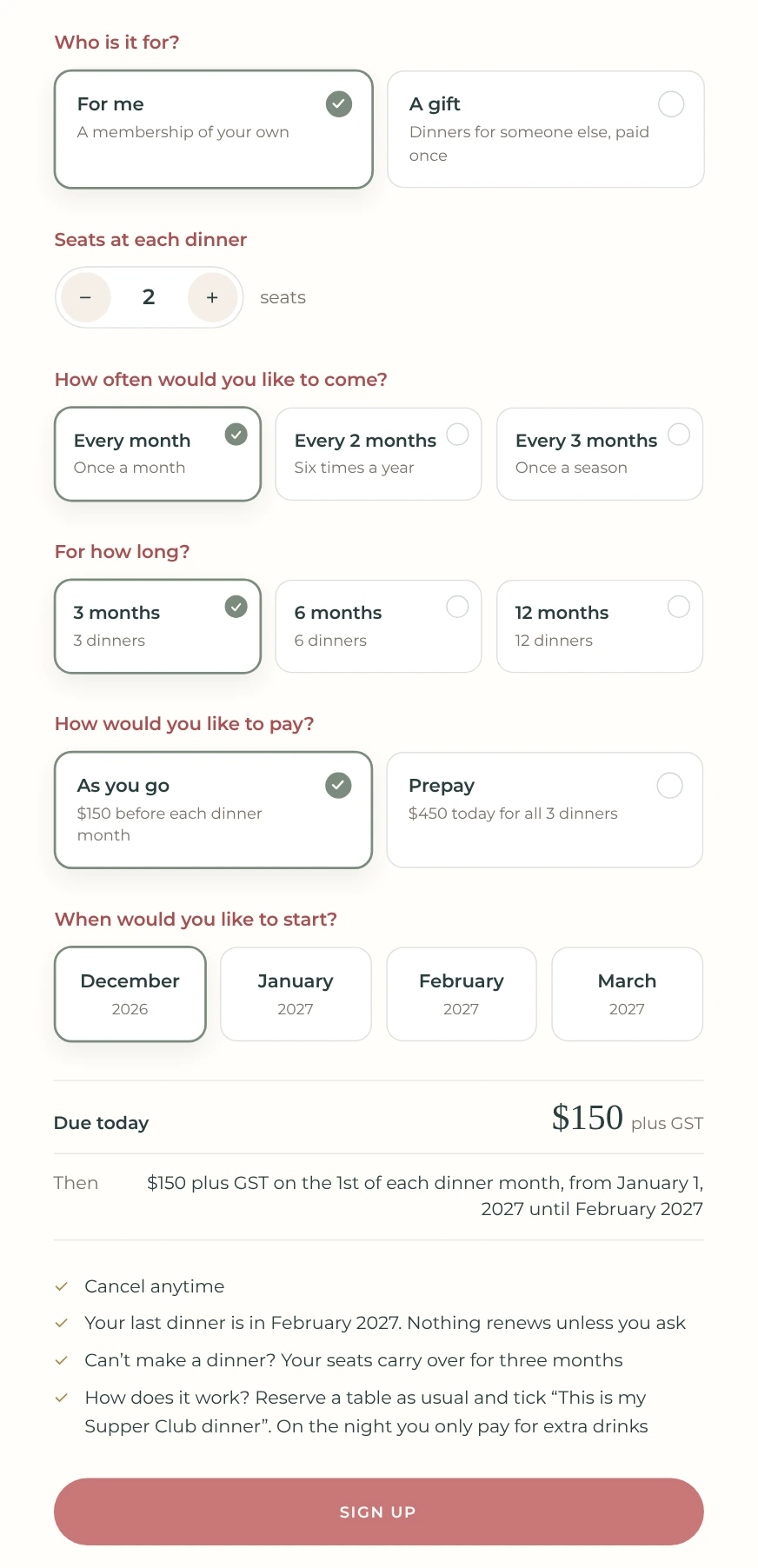
The Supper Club sign-up form: seats at each dinner, how often, for how long, how to pay, when to start, the amount due today and a Sign up button

02

You’re in

A welcome email confirms your seats, your dinners and your next payment.
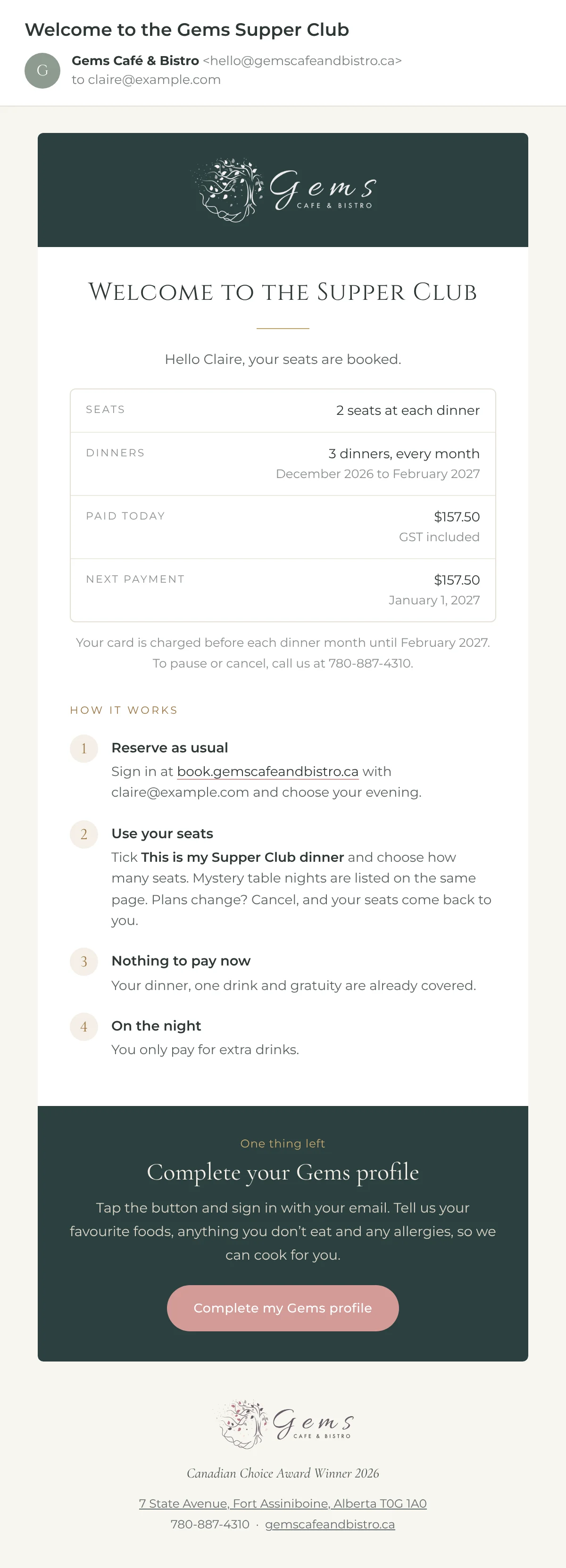
The Welcome to the Gems Supper Club email: the membership at a glance, four steps for reserving a Supper Club dinner, and a prompt to complete your Gems profile

03

Complete your Gems profile

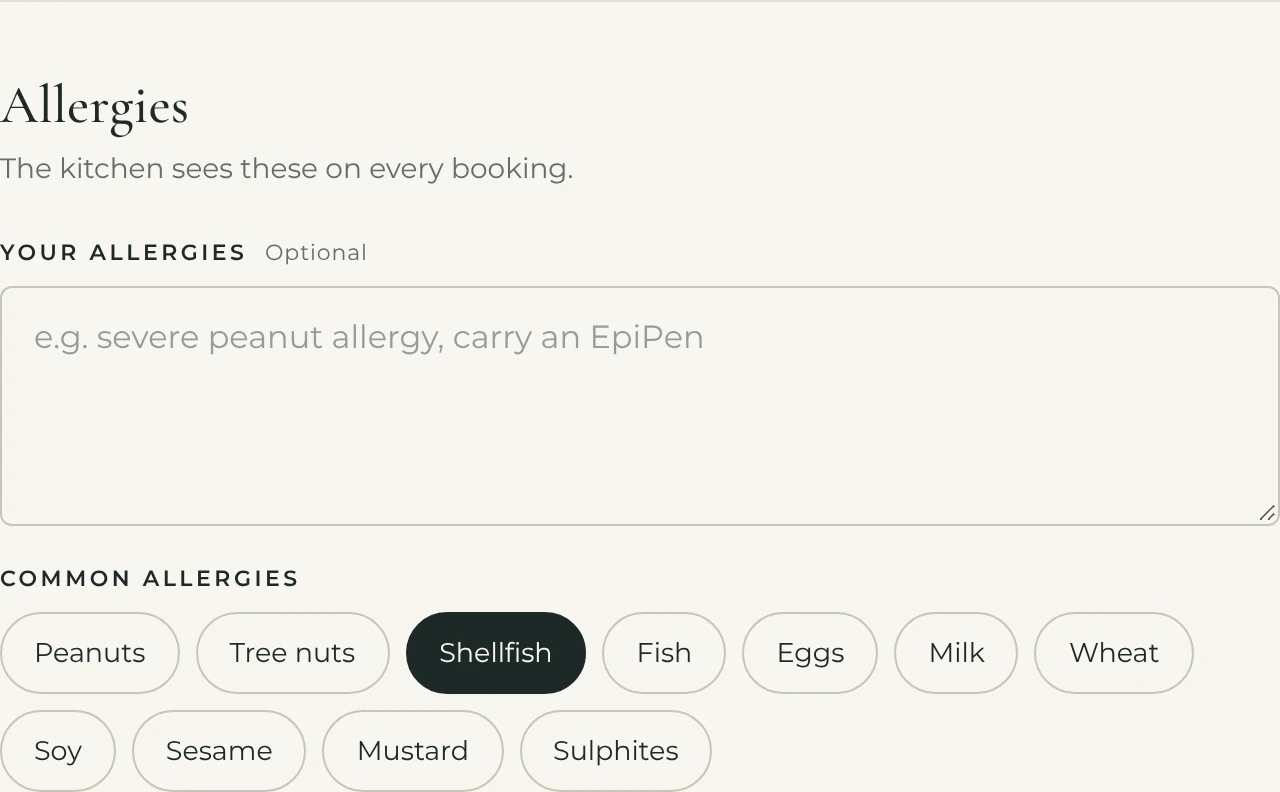
Just once, from your welcome email. Tap the foods you love and anything to skip. A few minutes and you’re done.
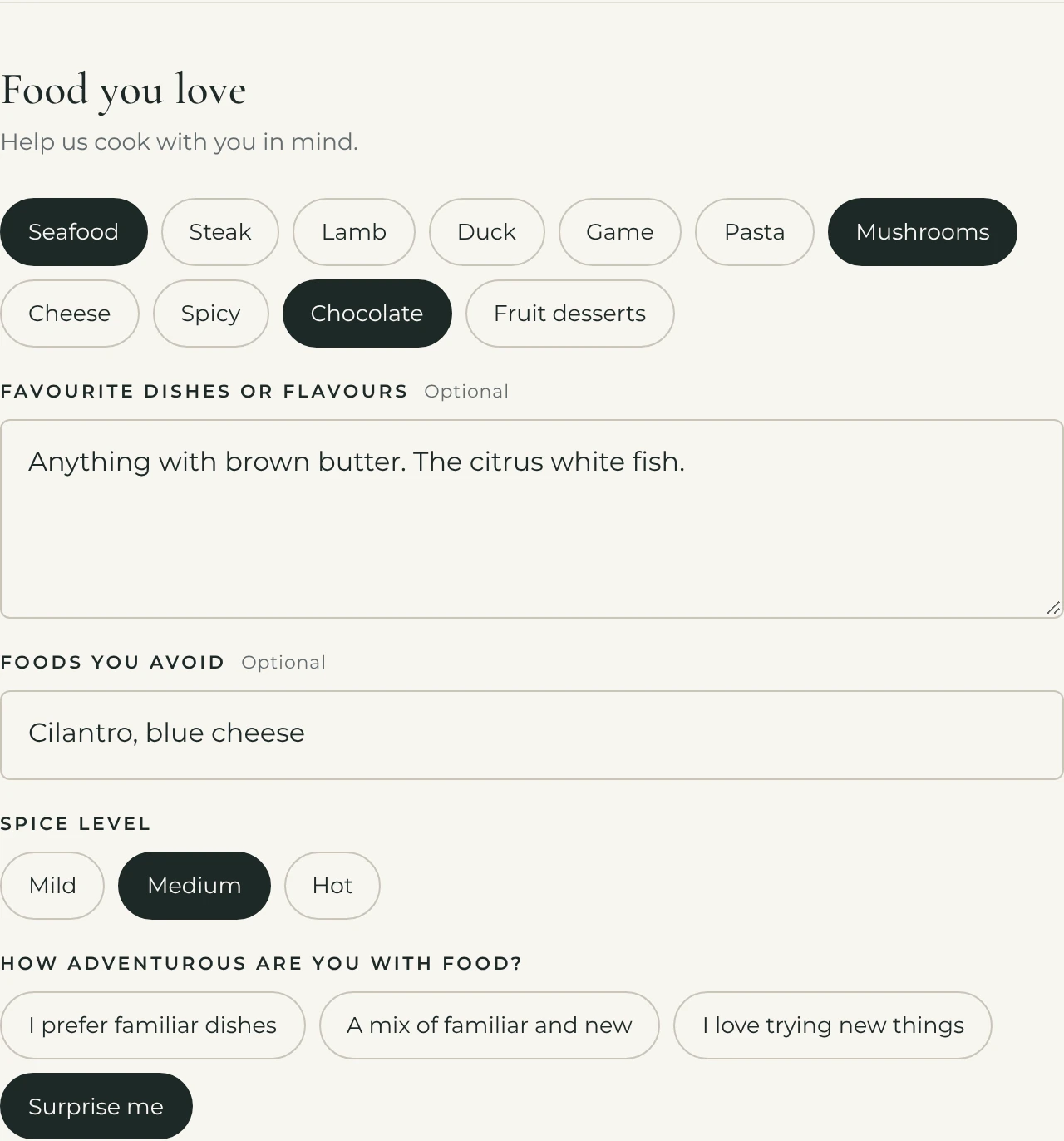
The Food you love section of a Gems profile, with favourite foods, dishes, foods to avoid, spice level and how adventurous the member is
The Allergies section of a Gems profile, with shellfish selected

04

Book your table

Reserve as usual at book.gemscafeandbistro.ca. Or pick a mystery table night and take a seat.
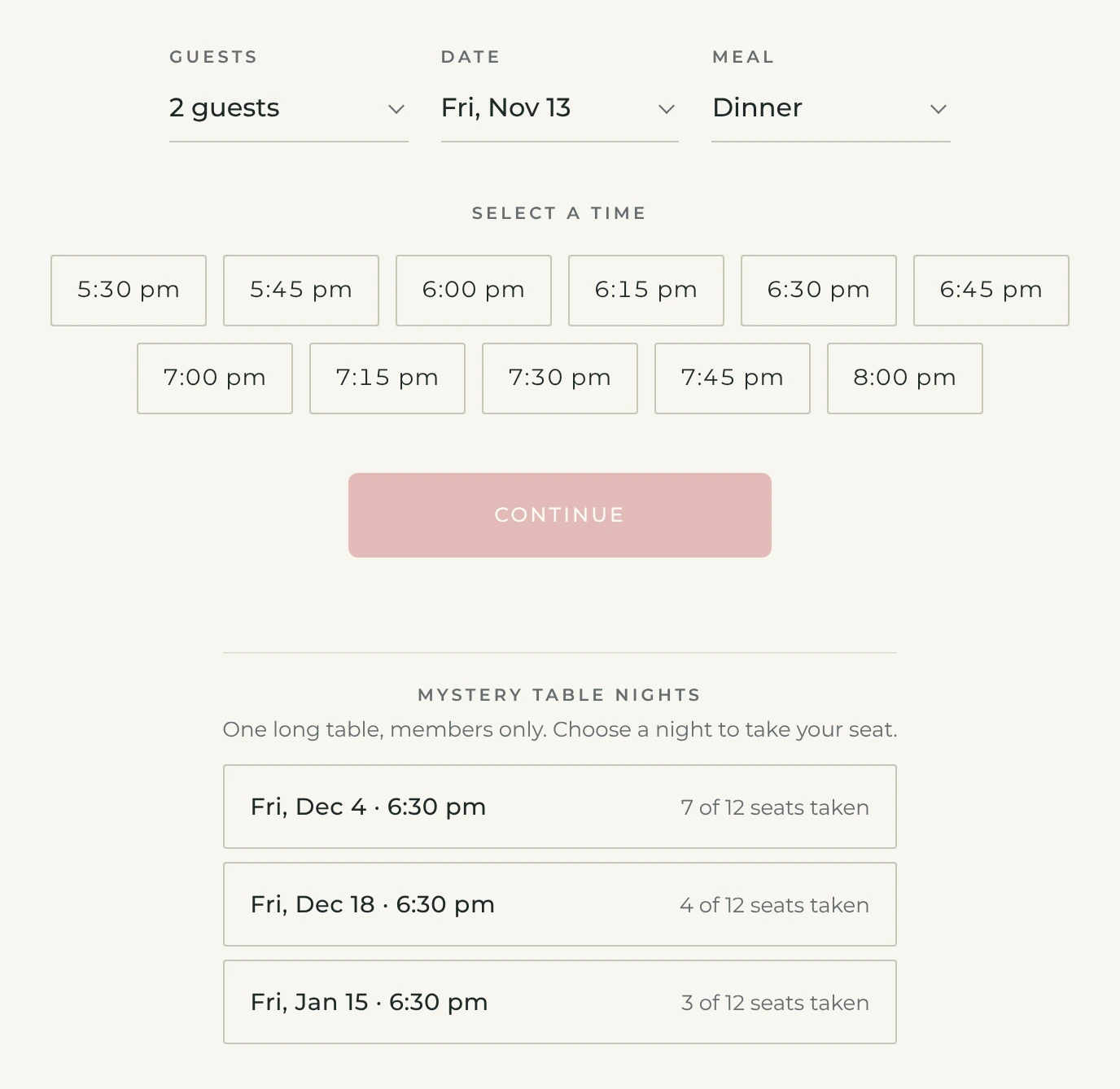
The reservation page for a signed-in member, listing mystery table nights under the time picker with how many seats are taken on each

05

Make it a Supper Club dinner

Tick “This is my Supper Club dinner” to use your seats. Used them all this month? You’re still welcome as often as you like, as a regular guest for a completely different dinner. The booking page knows when your seats are used and simply books you a regular table.
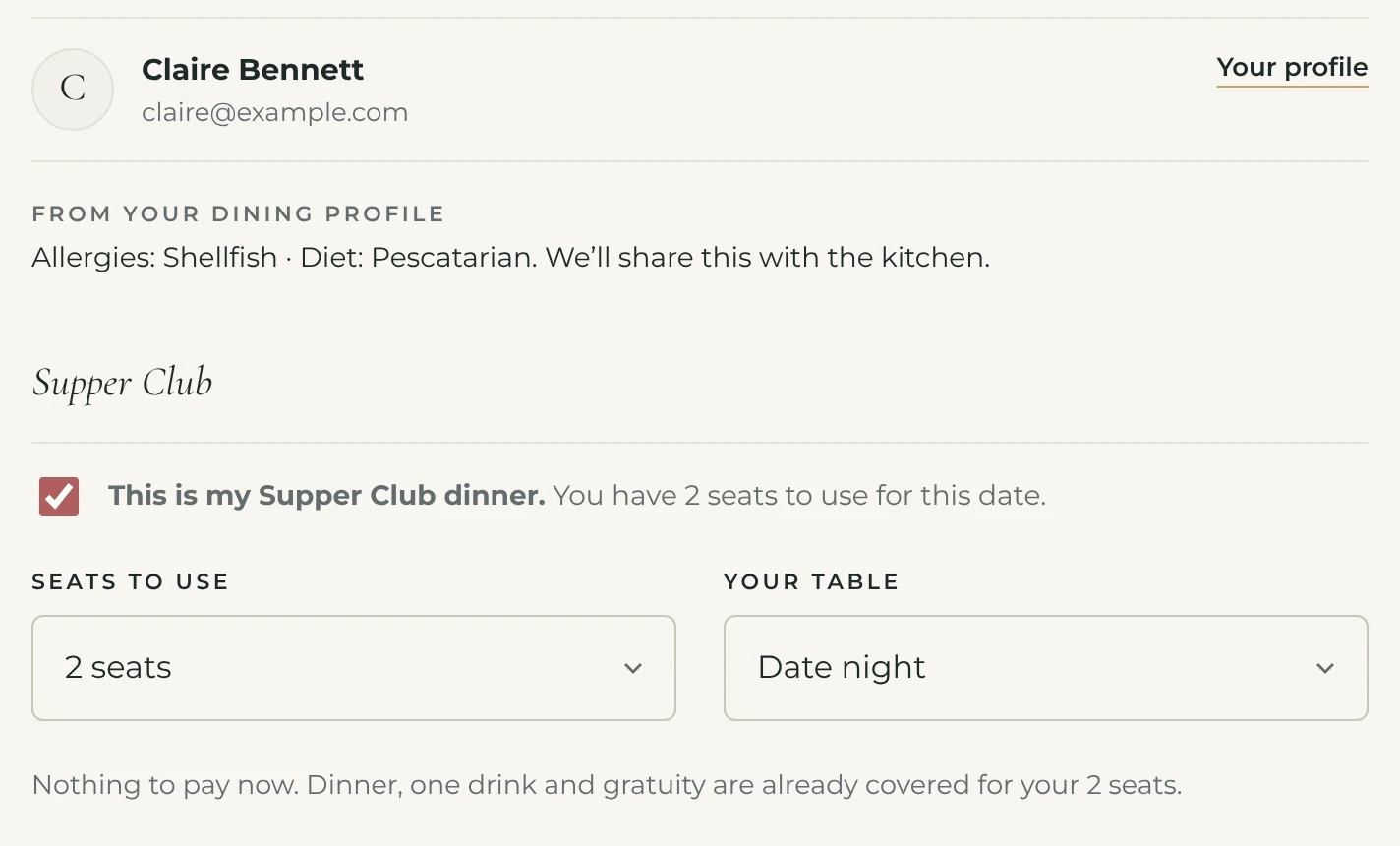
The reservation screen with This is my Supper Club dinner ticked, two seats to use and Date night chosen as the table

06

The people at your table

Each of you gets your own profile, so we cook for both of you. Bringing a friend? Add them by name.
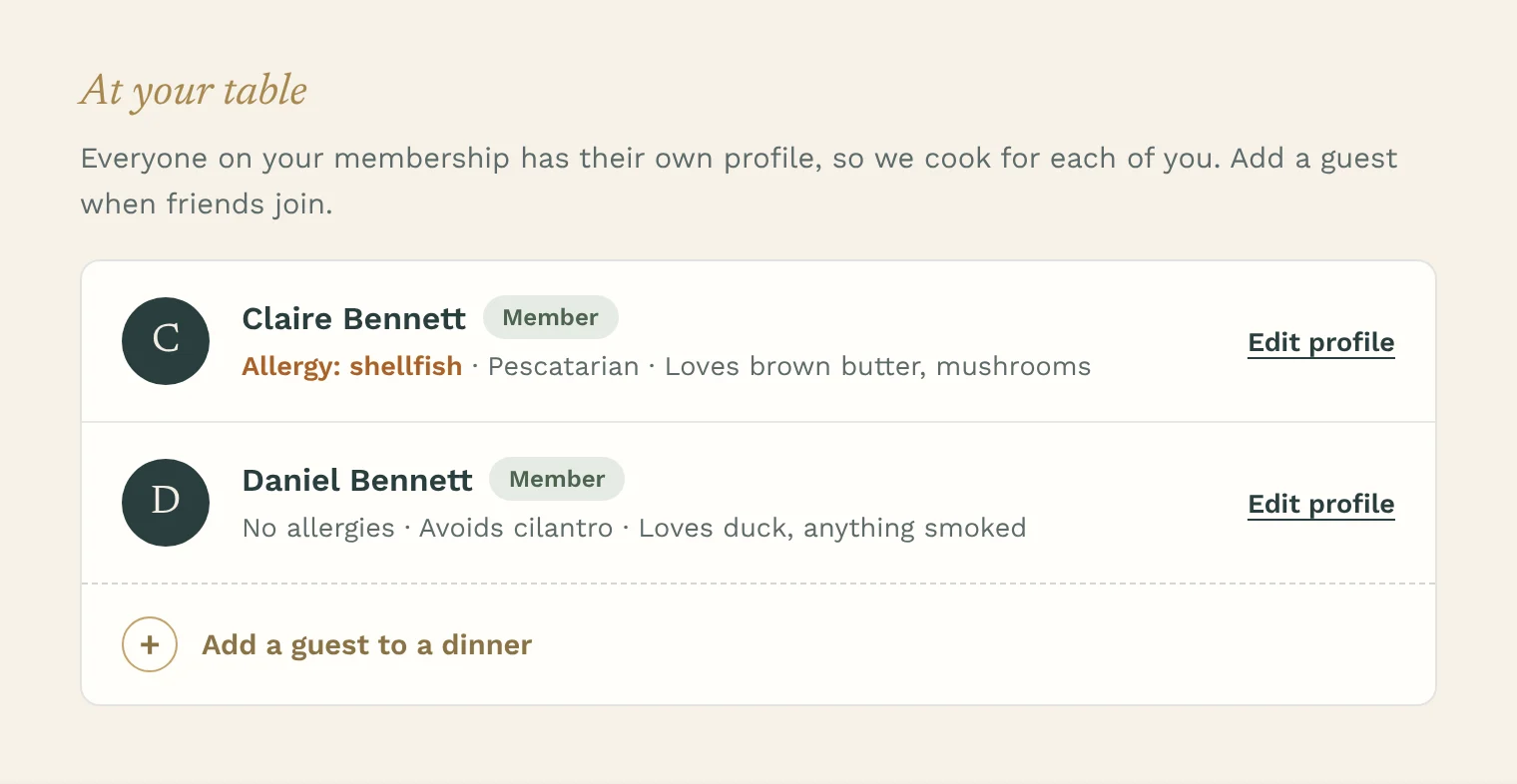
The people on a membership: Claire and Daniel Bennett, each with their own allergies and tastes, and a button to add a guest to a dinner

07

It’s in the book

Confirmed as a Supper Club dinner. Plans change? Change or cancel online.
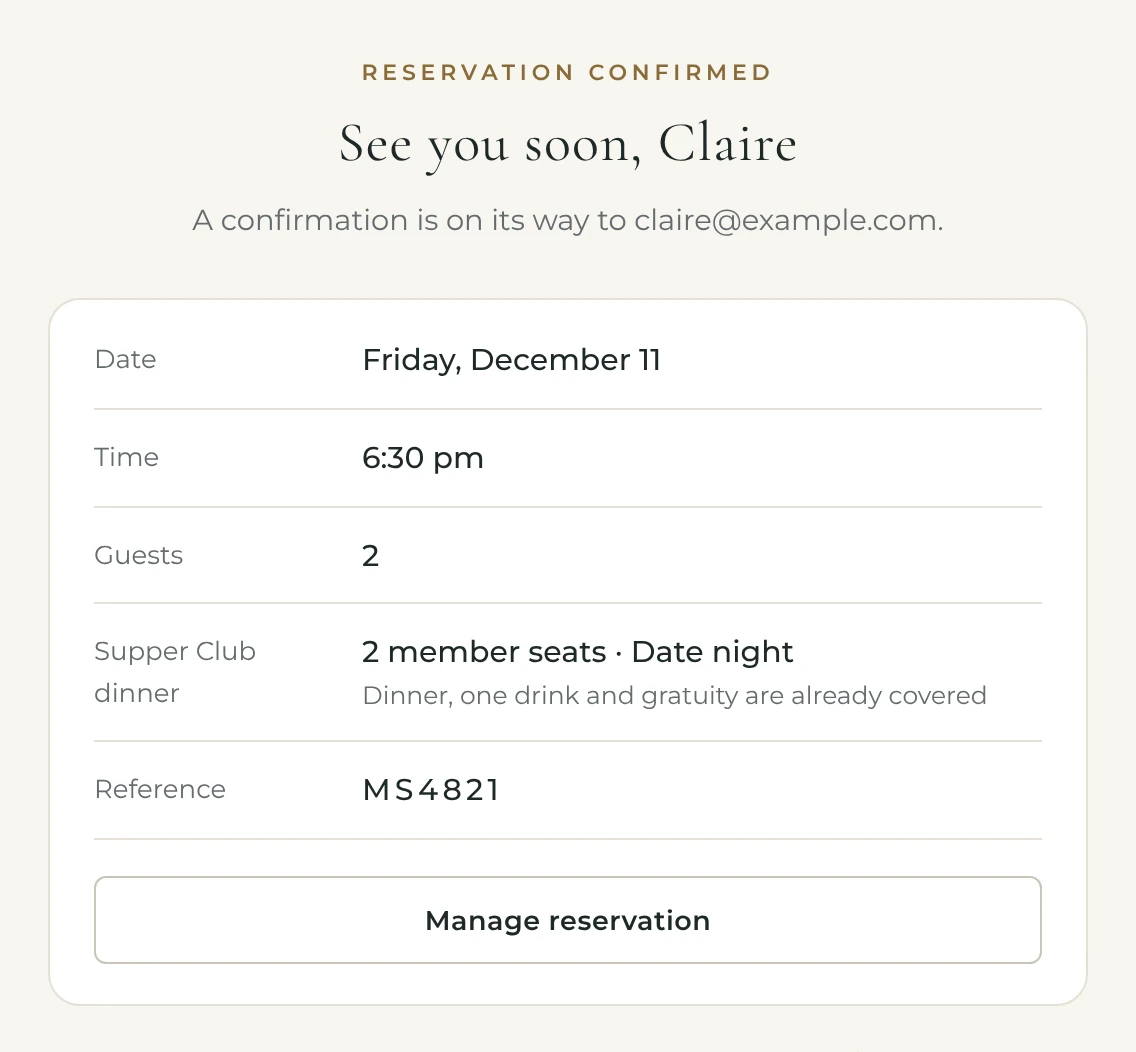
A reservation confirmation for Friday, December 11 showing two member seats for a date night

08

Your dashboard

A note from the kitchen before each dinner, and a place to tell us what you’d like at your next visit.
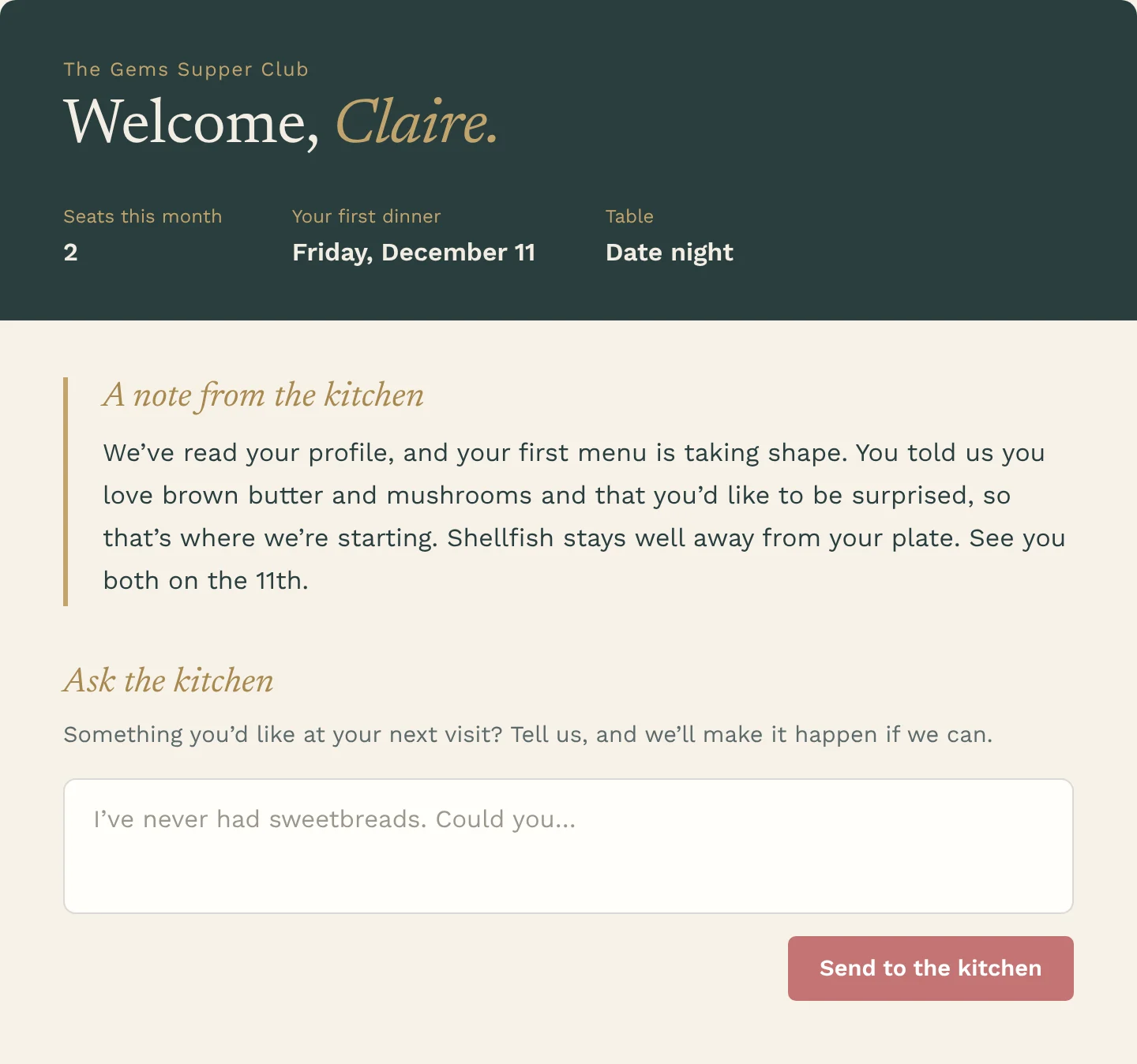
A new member’s dashboard: Welcome, Claire, with two seats this month, a first dinner on Friday, December 11, a note from the kitchen about her first menu, and a box to ask the kitchen for something at the next visit

09

A journal of every dinner

Every course we’ve cooked for you resides in your dashboard. Mark what to bring back and what to skip.
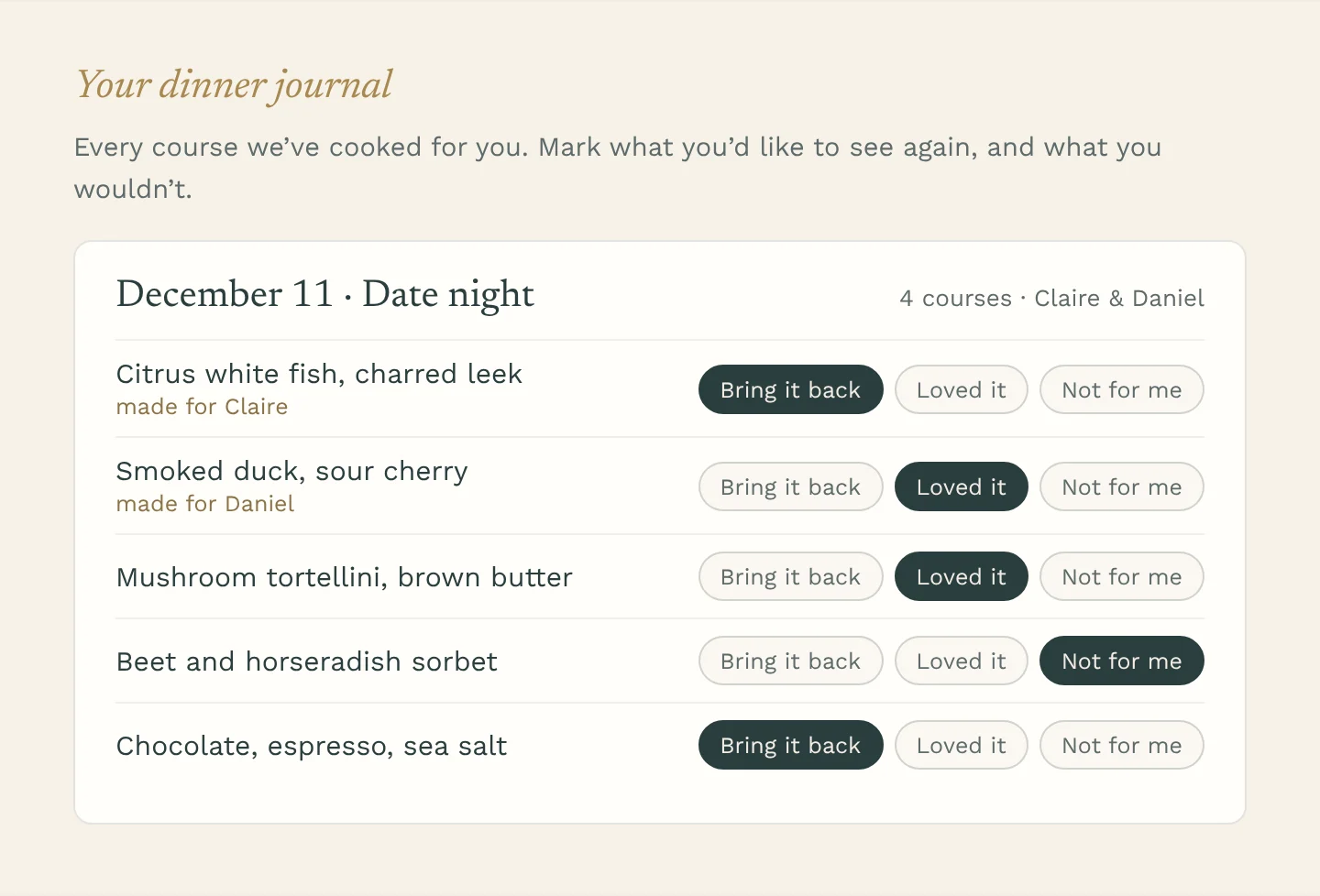
A member’s dinner journal for the December 11 date night, listing four courses, each marked Bring it back, Loved it or Not for me

10

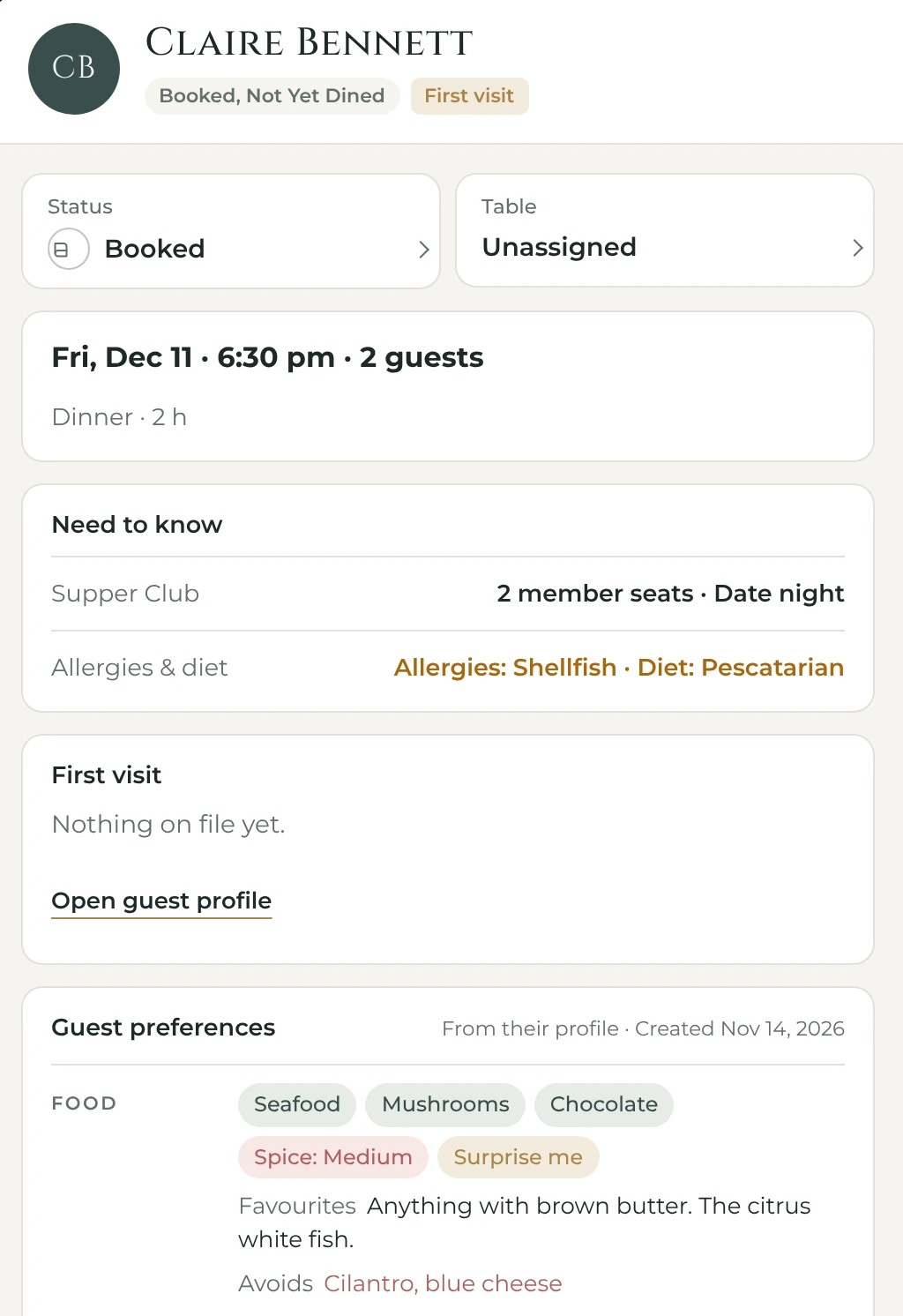
What we see in the kitchen

Nothing for you to do here. Your allergies and favourites are in front of Adrian before you arrive.

Stock being ladled on the stove in the Gems kitchen
The kitchen’s view of a member’s reservation: Supper Club seats, allergies and diet, and food preferences from their profile

11

Your membership, in one place

Your seats, next payment and card, in one place. Update your card or ask for a change anytime.
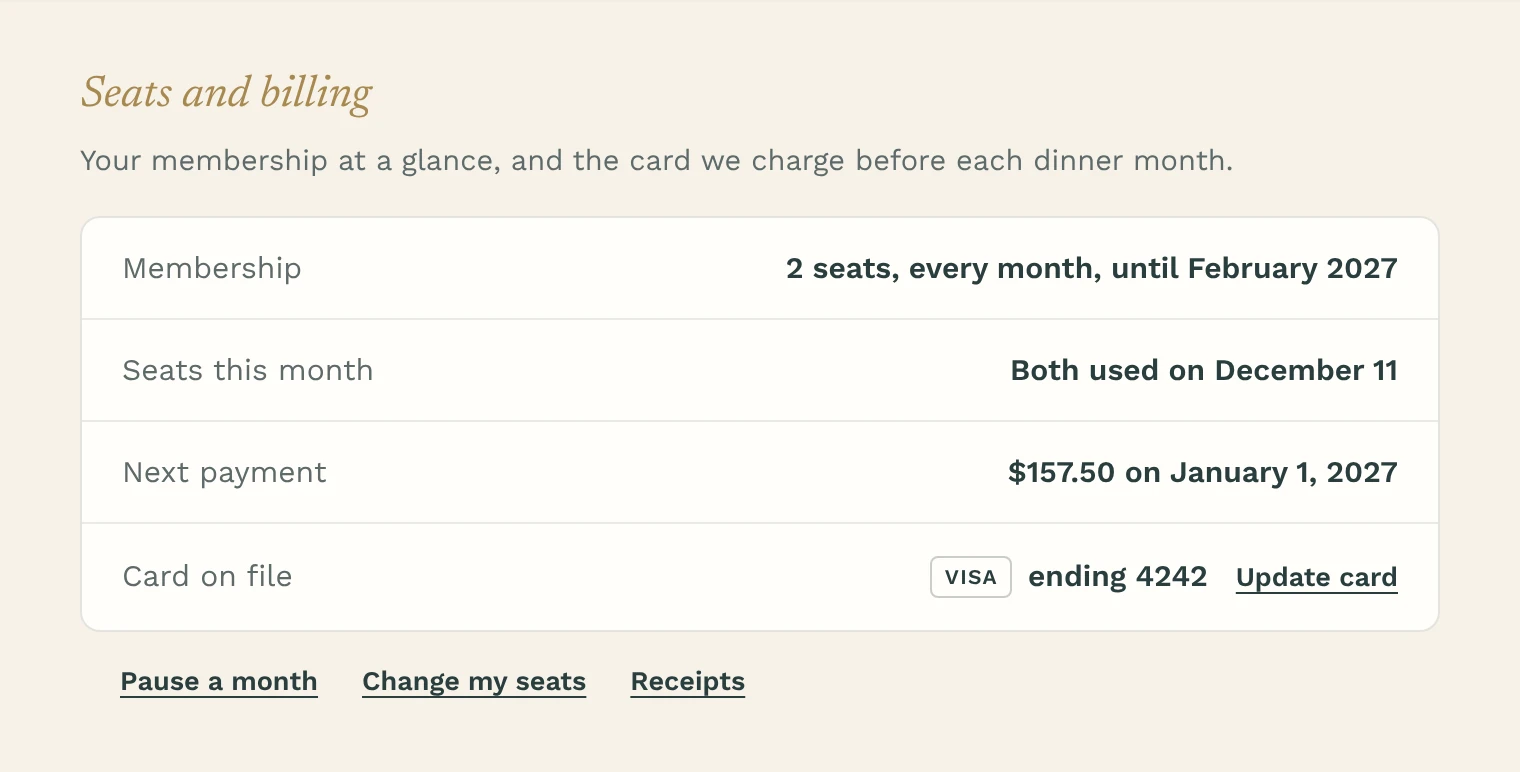
Seats and billing: two seats every month until February 2027, the next payment on January 1, and the card on file with an Update card link

Limited seats. Launching in December.

Sign up now